- Language
Network Rack Wall Mount Ventilation
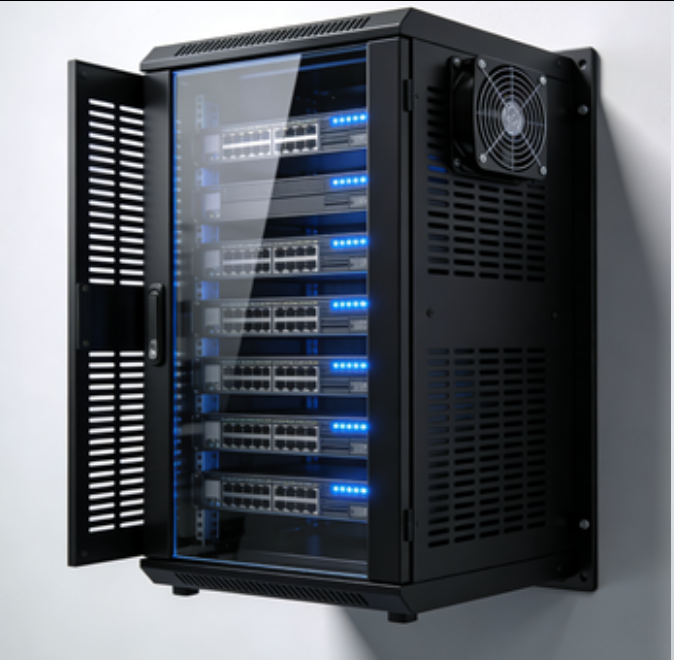
Ventilation is a critical aspect of network rack wall mount design, as it directly impacts the performance, reliability, and lifespan of the network equipment housed within. In any network setup, devices such as servers, switches, and routers generate heat during operation. If this heat is not effectively dissipated, it can lead to overheating, which causes performance degradation, system crashes, and premature failure of the equipment. Network rack wall mount ventilation systems are engineered to address these issues by ensuring proper airflow and heat removal.
There are several types of ventilation mechanisms used in network rack wall mounts. One common approach is the use of fans. Fans can be positioned strategically within the rack, such as at the top, bottom, or rear. Top - mounted fans typically exhaust hot air out of the rack, creating a negative pressure that draws cooler air in from the bottom or front. This natural convection current helps to circulate the air and remove heat. Bottom - mounted fans, on the other hand, blow cool air into the rack, pushing the hot air upwards and out. Rear - mounted fans can improve the overall circulation of air within the rack, ensuring that all areas receive adequate cooling, especially in racks with densely packed equipment.
In addition to fans, many network rack wall mounts feature passive ventilation designs. These can include perforated side panels, open - frame structures, or ventilation holes strategically placed throughout the rack. Perforated side panels allow for the free flow of air in and out of the rack, while open - frame designs provide maximum airflow by eliminating solid barriers. Ventilation holes are often placed in key areas, such as near heat - generating components, to facilitate the escape of hot air. These passive ventilation methods work in tandem with fans to enhance the overall cooling efficiency of the rack.
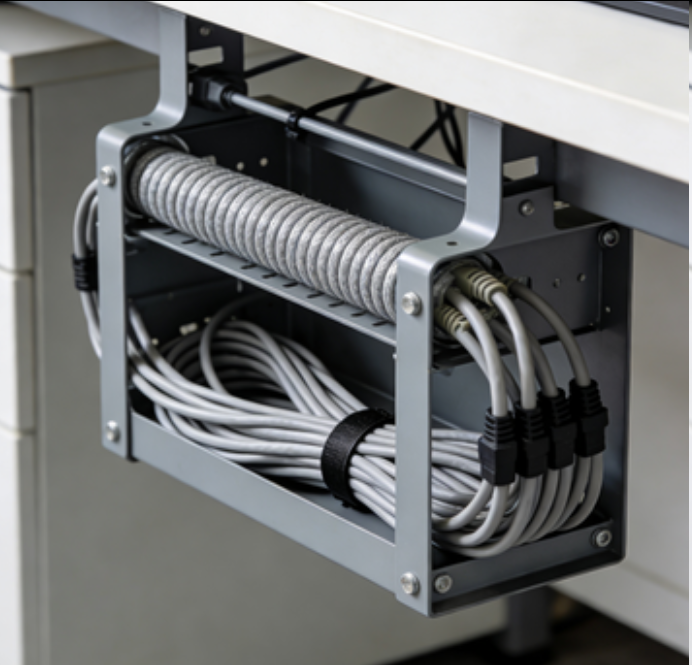
The effectiveness of network rack wall mount ventilation also depends on proper cable management. When cables are neatly organized and routed, it allows for unobstructed airflow within the rack. Cable management tools such as cable trays, organizers, and ties can be used to keep the cables away from air intakes and exhausts, preventing them from blocking the flow of air. This is crucial, as blocked ventilation can quickly lead to hotspots and overheating, even in racks with well - designed ventilation systems.
Some advanced network rack wall mounts may also incorporate intelligent ventilation control systems. These systems use temperature sensors to monitor the internal temperature of the rack. When the temperature reaches a pre - set threshold, the fans automatically increase their speed to enhance cooling. As the temperature drops, the fan speed is adjusted accordingly, reducing noise levels and power consumption. This intelligent control ensures that the ventilation system operates efficiently, providing the necessary cooling only when required.
In summary, network rack wall mount ventilation is essential for maintaining the optimal performance and longevity of network equipment. By combining active fan - based systems with passive ventilation designs, proper cable management, and intelligent control, these ventilation systems effectively dissipate heat, ensuring a stable and reliable operating environment for the network infrastructure.
Read recommendations:
Smart Switch Outlet 2 Ways with Wireless APP Remote Control Compatible with Legrand Faceplate
Smart Switch Outlet 2 Gang with Wireless APP Remote Control Compatible with Legrand Faceplate
-
-
-
-
-
-
-

-
-
-
Network Patch Cord Cat8
Oct 23, 202592
-
Network Rack Wall Mount with Glass Door
Jan 07, 202679
-
Network Rack Wall Mount 9U
Jan 06, 202675
-

Network Cable Management Tray
Oct 30, 202573
-
Network Cable Management Under Desk
Dec 25, 202572